Reporting Issues and Sharing Your Feedback
PyCharm provides various means to report problems and seek for assistance.
Locate PyCharm log
On certain occasions, you will be required to attach the PyCharm log to an email to the support service. You can easily locate the log file as described below.
Go to (Windows and Linux), or (macOS). The Explorer/Finder opens, with the log file selected.
Collect logs
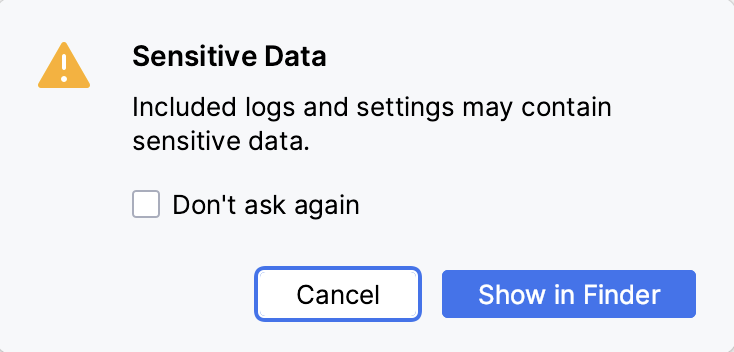
When you collect logs to send them to JetBrains, PyCharm warns you that the logs might contain sensitive data.
In the main menu, go to .
In the Sensitive Data dialog that opens, click Show in Finder (macOS), Show in Explorer (Windows), or Show in <file manager> (Linux).
PyCharm packs the logs and settings into a ZIP archive and shows its location. PyCharm does not send the archive to JetBrains: you can review it and send it yourself.
For more information about how JetBrains processes your data, refer to the JetBrains Privacy Policy.
Report an issue in Youtrack
Click .
Describe your problem and provide a brief summary in the Description and Summary fields respectively.
If it is possible, attach a screenshot that illustrates your problem .
Click Create.
Configure PyCharm log settings
To avoid editing the log.xml file itself, PyCharm suggests a handy dialog to change logging level for a category. This file resides under the bin directory of PyCharm installation.
Click .
In the Custom Debug Log Configuration dialog, type the log categories names, separated with new lines.
Sharing feedback
Select , which redirects you to the online feedback form.
This form enables you to create a PyCharm-specific YouTrack issue.
Seeking assistance
To find assistance, do one of the following:
Apply to the JetBrains Support
Write to the support service. Use the following address:
If necessary, attach the source code and the PyCharm log.
Ask the PyCharm Community.