AI agents in DataGrip
DataGrip supports coding agents and their capabilities extension like agent instructions, skills, MCP tools.
The following video demonstrates how to use AI agents and the AI Assistant plugin with your database in the IDE, from creating data sources and exploring schemas to generating SQL, managing permissions, reviewing agent activity, and working with CSV files. For more information about AI agents, refer to AI Assistant documentation
SQL and database tools in chats
DataGrip offers database-specific features that help you run SQL, explore data, and reference database objects directly in your conversations with AI agents.
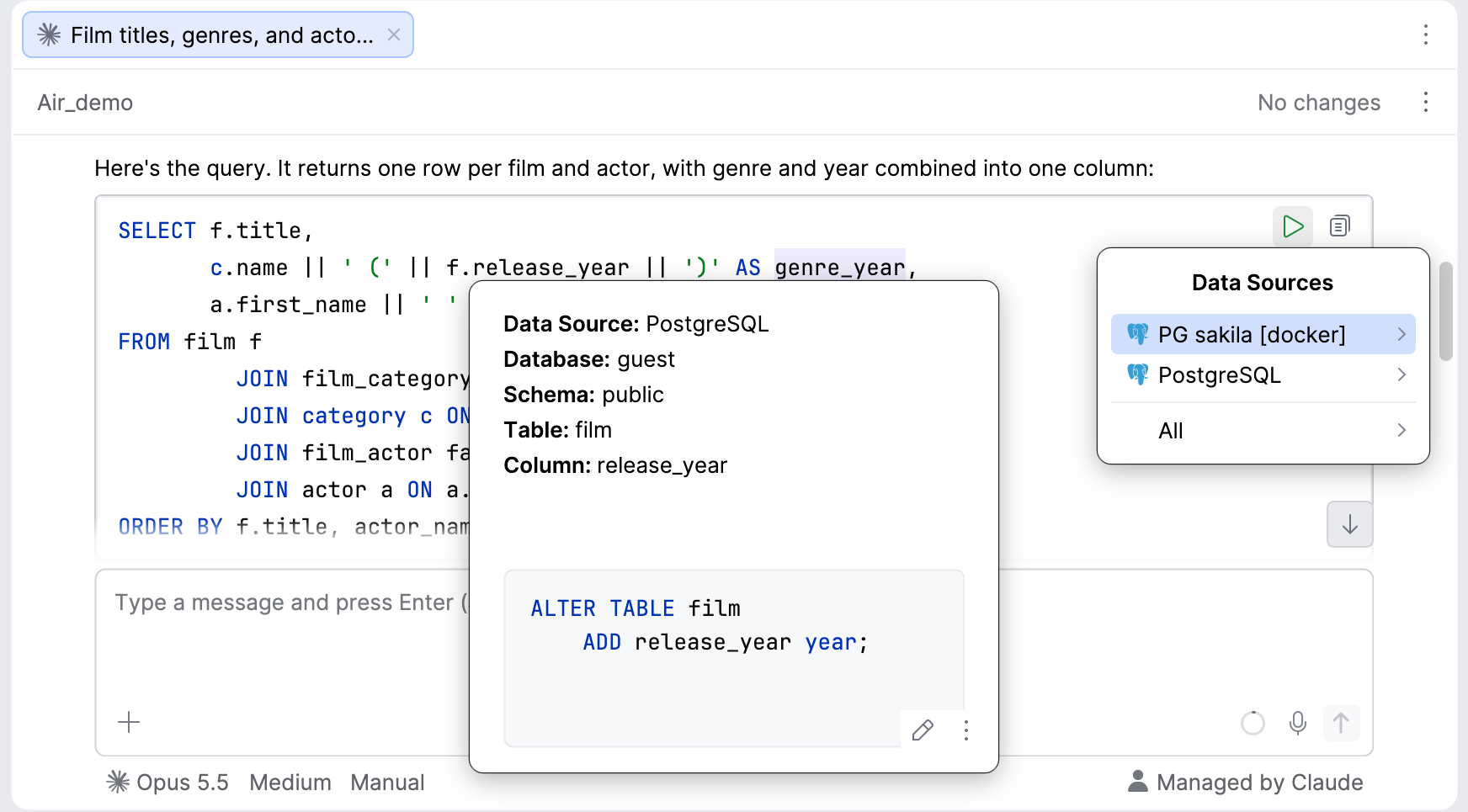
SQL snippets use the syntax highlighting and formatting settings configured in your IDE. You can copy the code or run it directly from the chat against a selected data source. After running it, you can navigate to object definitions and preview them in the Quick Definition popup.
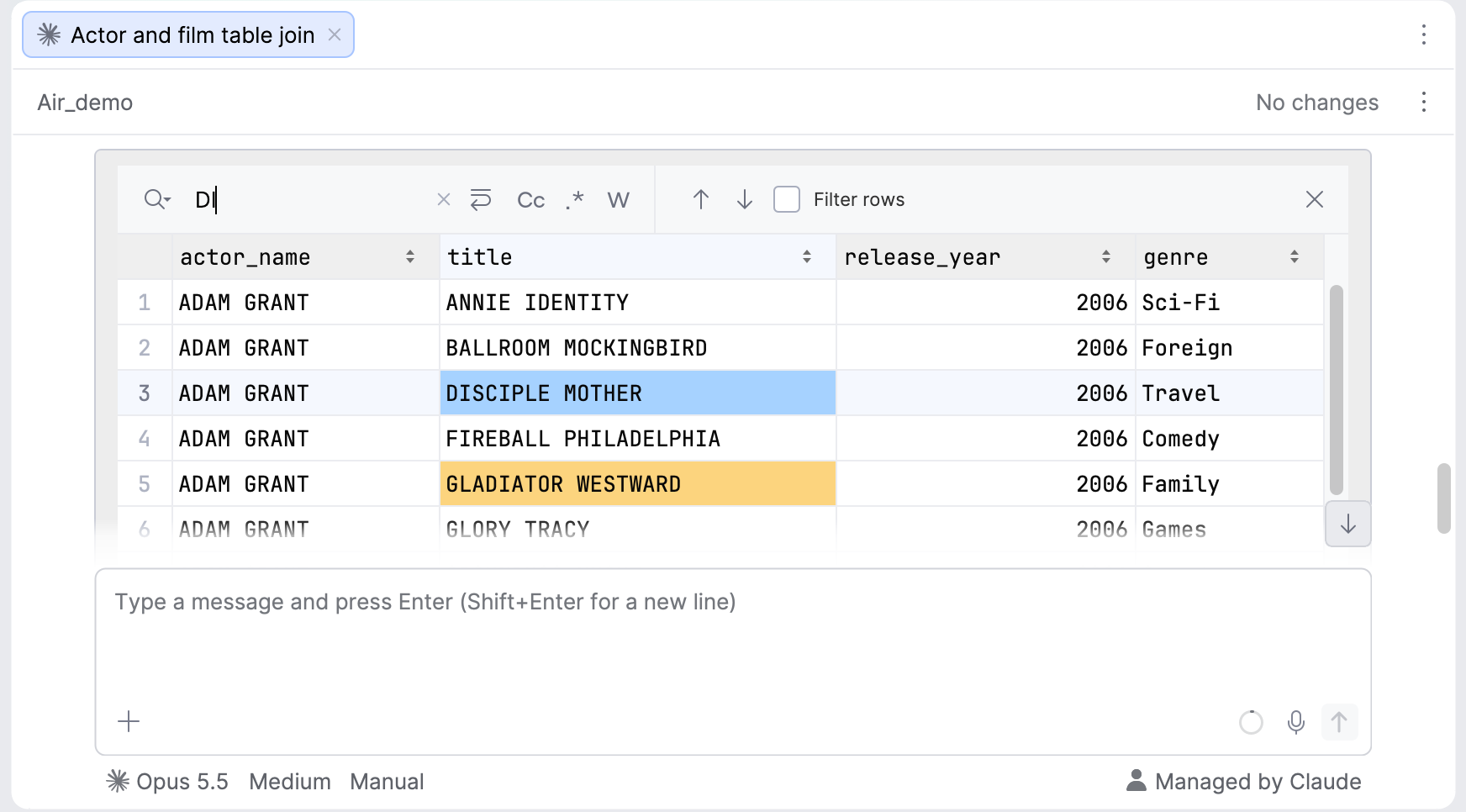
When an agent returns tabular data in CSV format, you can view it in the data editor right in the chat, with sorting and search available.
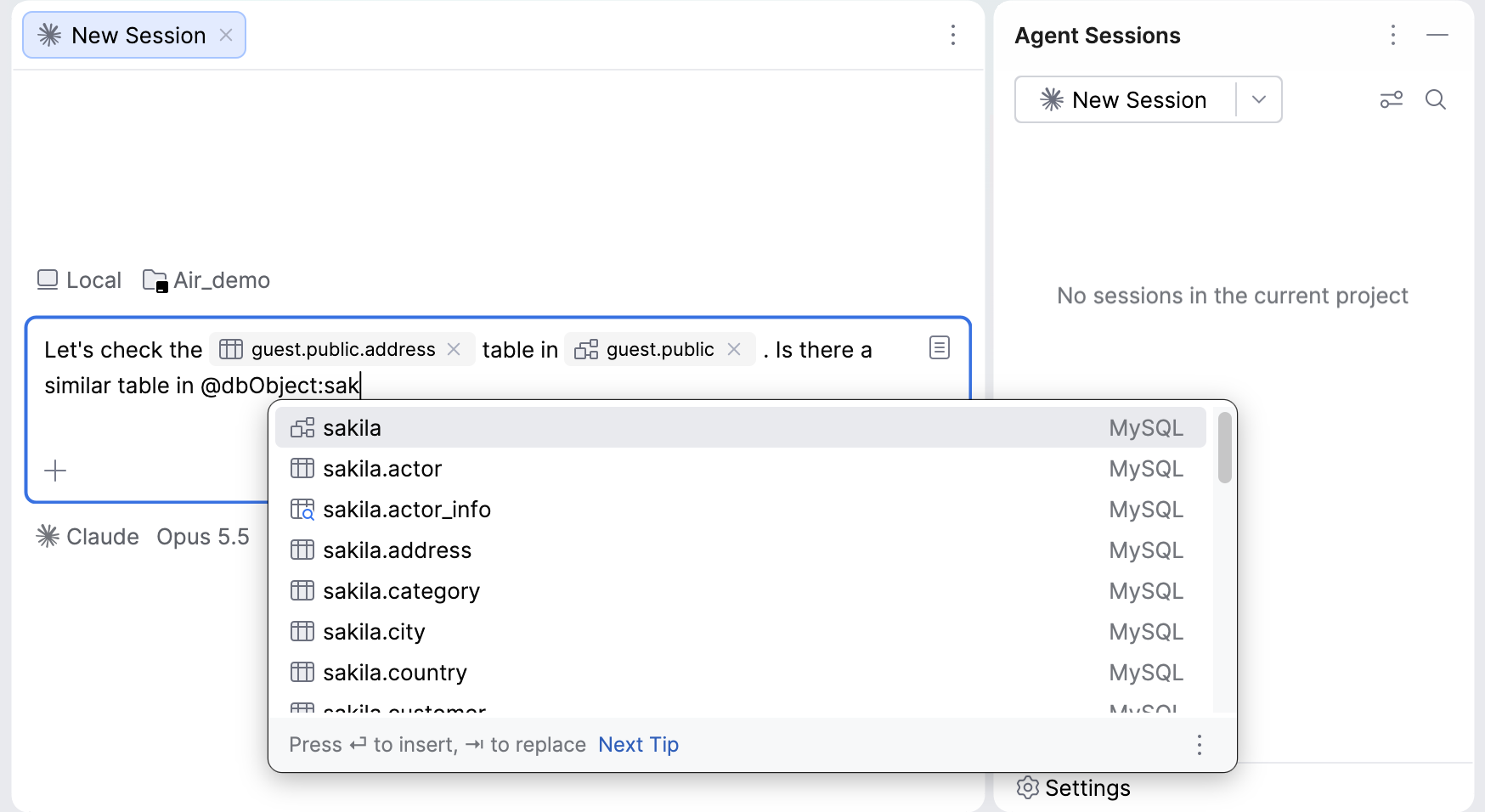
You can also reference database objects in your prompts using @dbObject notation, with completion to help you find the object you need.
Object references appear with their icons in the chat and support the Quick Definition popup.
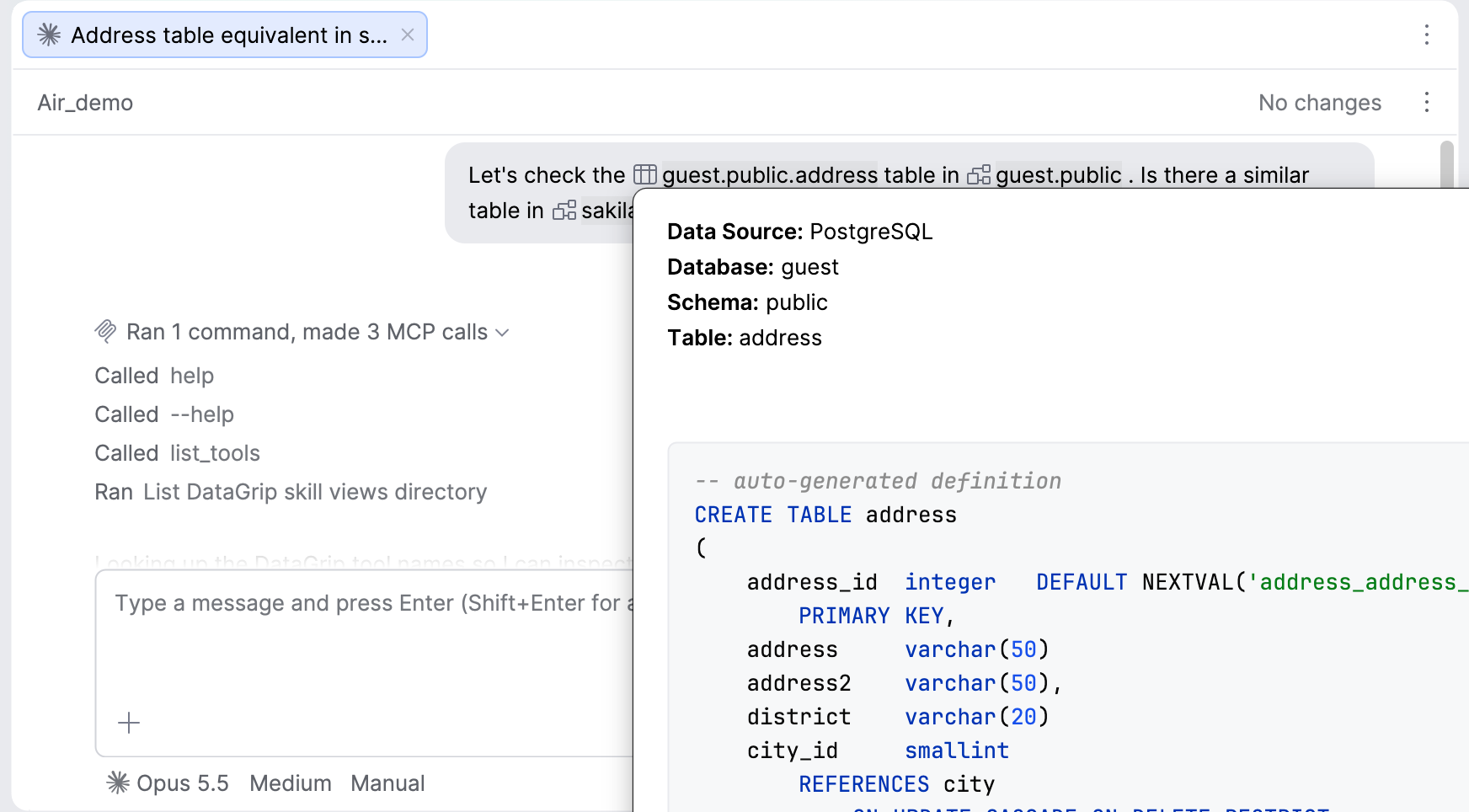
To reduce token usage, DataGrip sends a link to each referenced object. The agent can then retrieve the information it needs through the MCP server.